
How to Install Star Printer Driver on Mac OSX
1. Plug in the Star printer (Power and USB)
2. Turn the printer on (power switch on left side)
3. Download the Star printer driver (Link)
• Click the link above to download and save to your desktop
4. Double click on the downloaded file and you should see the following
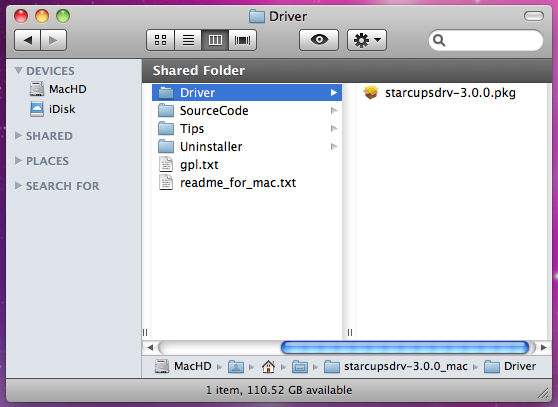
5. Double click the “starcupsdrv-3.0.0.pkg” and you should see the following
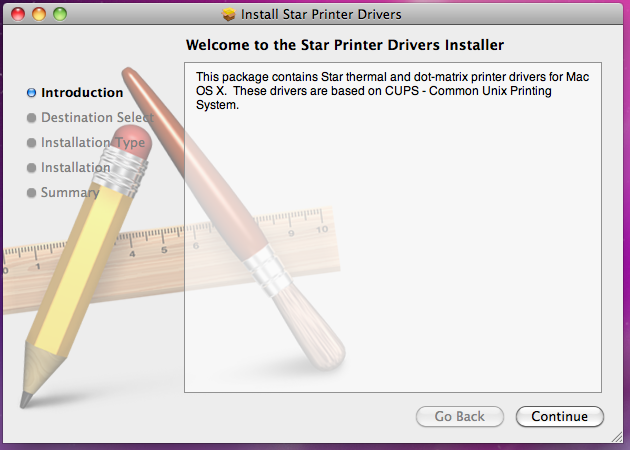
6. Click on “Continue” and you should see the following
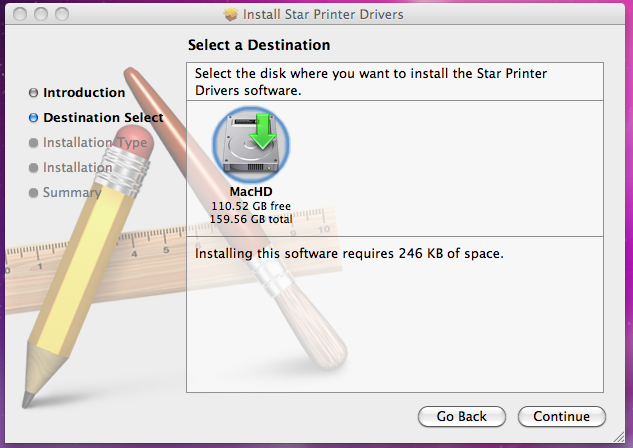
7. Click “Continue” and you should see the following
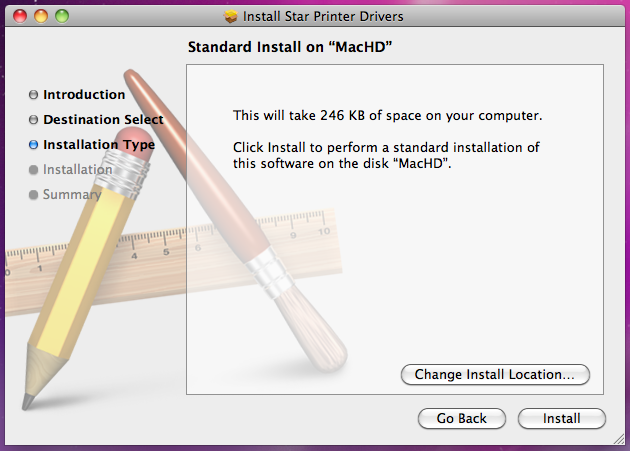
8. Click “Install” and you should see the following
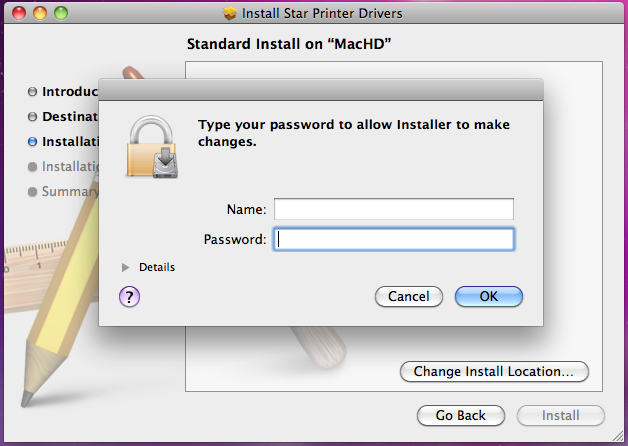
9. Type your Mac Username and Password then press OK and you should see the following
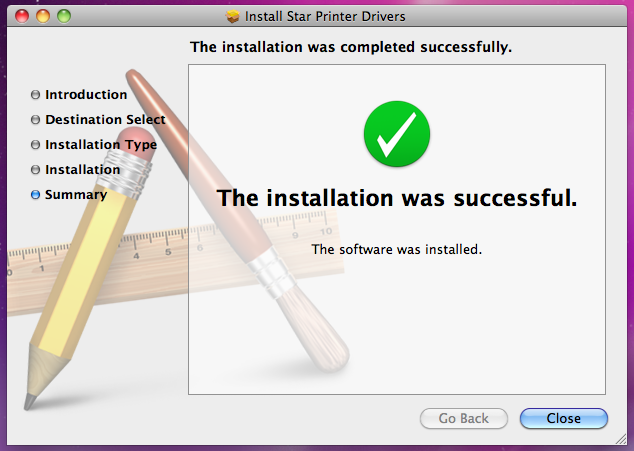
10. Click “Close” and then go to Mac System Preferences (Apple>System Preferences) and you should see the following
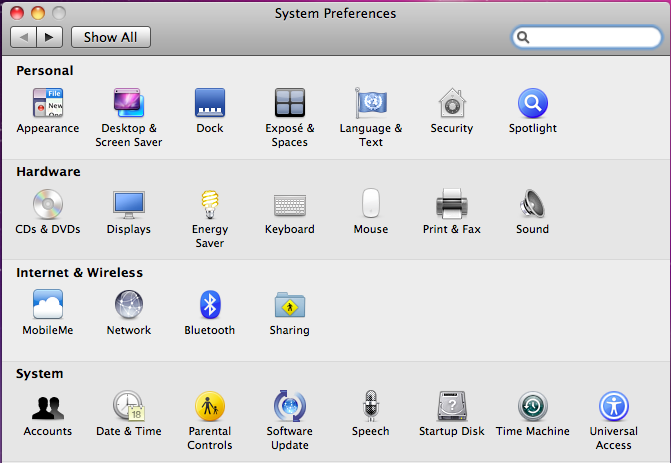
11. Click “Print & Fax” and you should see the following
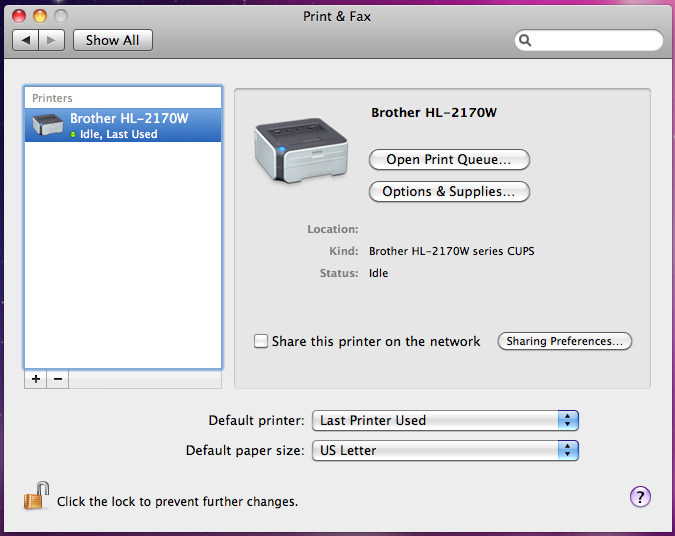
12. Click the “+” button and you should see the following
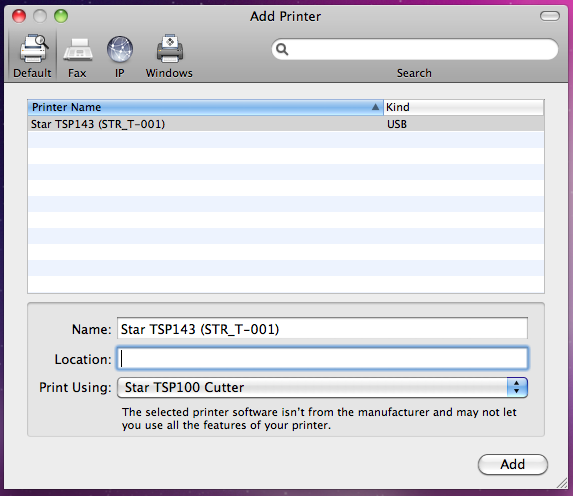
13. Click the “Add” button and you should see the following
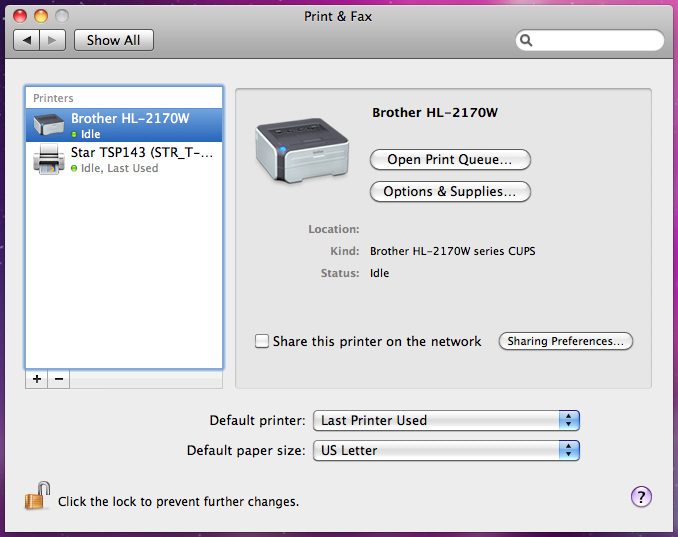
You are now finished installing the Star Printer